L50 Quest Editor Framework Design
This is the quest editor framework I designed while iterating on L50’s quest editor system. Before I left L50, it had been implemented and was working normally.
I later included this framework in a written assignment when interviewing for another project.
Designing a quest system framework
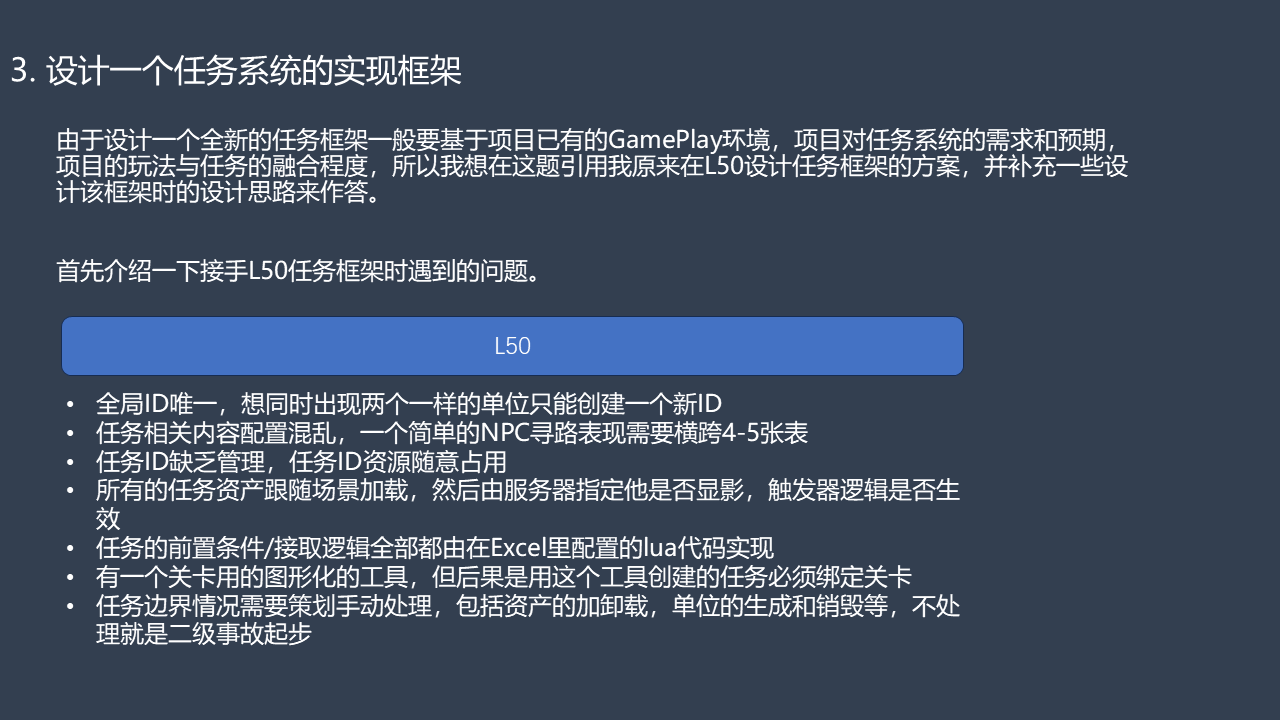
Designing a new quest framework usually starts with the project’s existing gameplay, its requirements and expectations for the quest system, and how closely its gameplay and quests need to work together. So, to answer this question, I’ll use the framework I designed for L50 and explain some of the thinking behind it.
First, here are the problems I encountered when I took over L50’s quest framework:
- IDs were globally unique. To have two instances of the same unit present at once, you had to create another ID.
- Quest content was scattered across data tables. Something as simple as making an NPC follow a path required configuration across four or five tables.
- Quest IDs had no proper management. People claimed ID ranges as they pleased.
- All quest assets loaded with the scene. The server then determined whether they were visible and whether their trigger logic was active.
- Quest prerequisites and acceptance logic were all implemented in Lua code entered in Excel.
- A visual tool existed for levels, but any quest created with it had to be bound to a level.
- Designers had to handle quest edge cases manually, including asset loading and unloading, and spawning and destroying units. Get that wrong and you were looking at a severity-two incident at the very least.
Restructuring L50’s quests
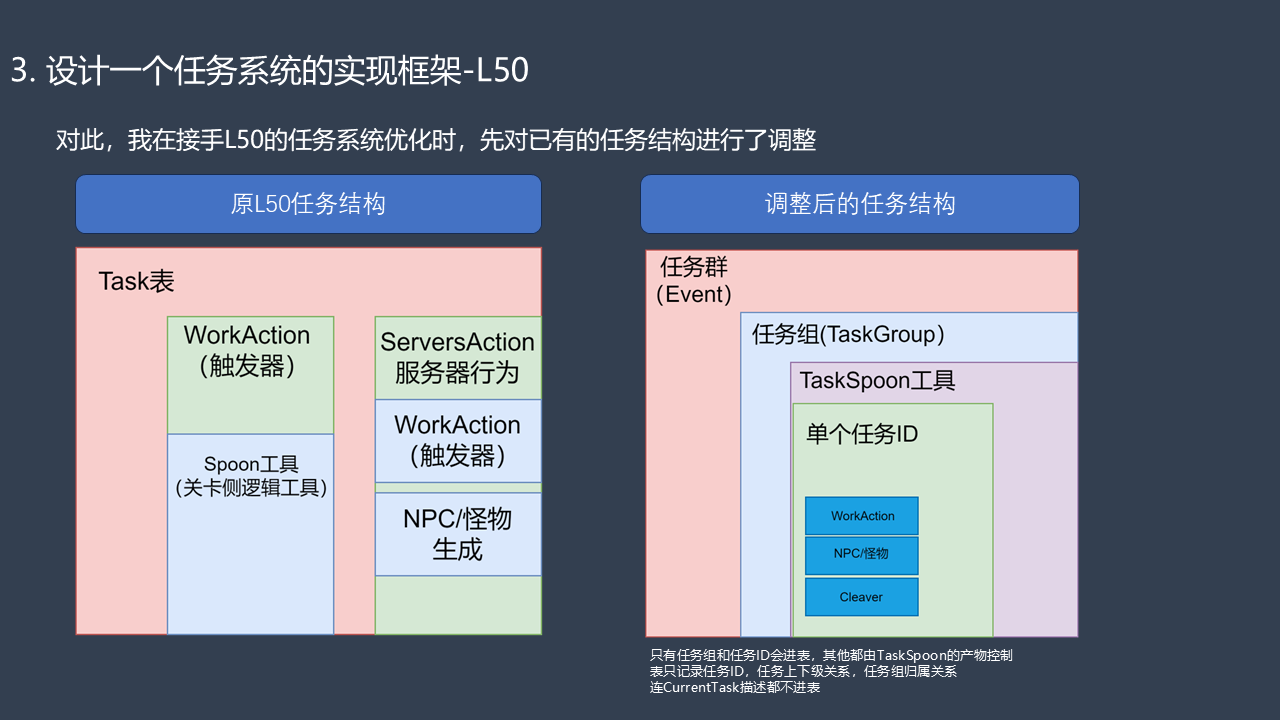
When I took over the optimization work, I first reorganized the existing quest structure.
Original structure: the Task table contained WorkAction triggers, the level-side Spoon logic tool, ServersAction server behaviors, and NPC/enemy spawning. The diagram shows WorkAction triggers on both sides of that arrangement.
Revised structure: an Event contains TaskGroup entries; a TaskGroup uses the TaskSpoon tool; each individual task ID contains its WorkAction triggers, NPCs/enemies, and Cleaver gameplay content.
Only task groups and task IDs go into the tables. Everything else is managed through TaskSpoon’s assets. The tables record task IDs, the order of tasks, and the relationships between groups. Even the CurrentTask descriptions are kept out of the tables.
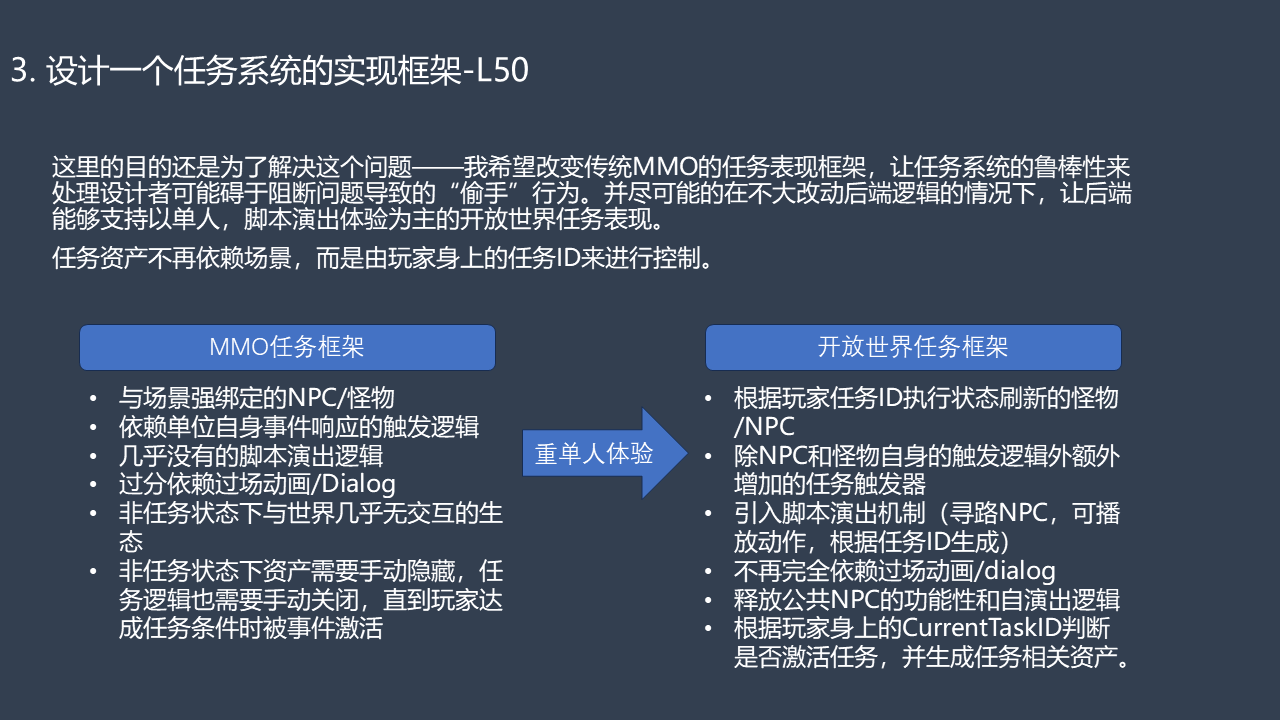
The purpose was to solve the underlying problem: move away from a traditional MMO quest framework and let the system’s robustness cover the accidental mistakes designers make when a workflow is too complicated. At the same time, I wanted the backend to support open-world quests centered on a single-player experience and scripted staging, with as little change to its existing logic as possible.
Quest assets would no longer depend on the scene. They would be controlled by the task IDs attached to the player.
From an MMO quest framework…
- NPCs and enemies tightly bound to scenes.
- Trigger logic dependent on events raised by the units themselves.
- Almost no support for scripted staging.
- Heavy dependence on cutscenes and
Dialog. - An almost empty world outside active quests.
- Quest assets that had to be hidden manually, and quest logic that had to be disabled manually, until the player met the prerequisites and an event activated them.
…to an open-world quest framework focused on the single-player experience
- NPCs and enemies spawned according to the execution state of the player’s task IDs.
- Additional quest triggers alongside the triggers built into NPCs and enemies.
- Scripted staging: NPC pathfinding, playable actions, and spawning by task ID.
- Less dependence on cutscenes and dialogue alone.
- Public NPCs free to run their own functionality and ambient behavior.
- The player’s current task ID determining whether to activate a quest and load its assets.
The hierarchy and TaskConfig Editor
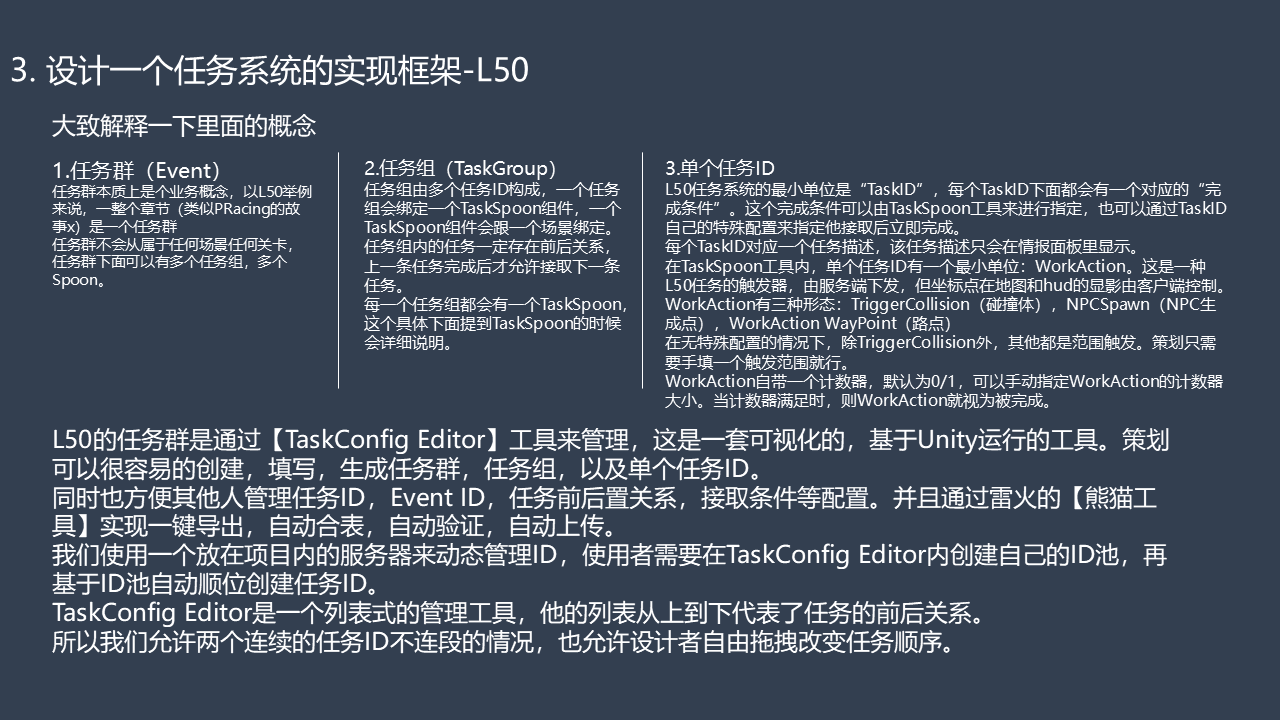
Let me explain the concepts in that structure.
1. Event
An Event is a way of organizing quest content. In L50, a whole chapter—similar to a PRacing story—forms one Event.
An Event does not belong to a particular scene or level. It can contain multiple task groups and multiple Spoon instances.
2. TaskGroup
A TaskGroup consists of multiple task IDs. Each group is bound to a TaskSpoon component, and each TaskSpoon component is bound to a scene.
The tasks within a group must have a defined order. A task must be completed before the next one can be accepted.
Every task group has its own TaskSpoon. I’ll explain that tool in more detail below.
3. Individual task ID
The smallest unit in L50’s quest system is a TaskID. Each TaskID has a completion condition, which can be specified in TaskSpoon or through the task ID’s own special configuration. Once the condition is met, the task is complete.
Each TaskID also has a task description, displayed only in the information panel.
Within TaskSpoon, a task ID contains a smallest unit of its own: WorkAction. This is L50’s quest trigger. It is issued by the server, while the client controls the way its coordinate marker appears on the map and HUD.
WorkAction has three forms:
TriggerCollision: a collision volume.NPCSpawn: an NPC spawn point.WorkAction WayPoint: a path point.
Without special configuration, all of these except TriggerCollision use a proximity trigger. The designer only needs to specify the trigger range.
Each WorkAction has a counter, with a default target of 1 and an initial value of 0. Designers can set the target value manually. When the counter reaches that value, the WorkAction is considered complete.
L50’s Events are managed in TaskConfig Editor, a visual tool running in Unity. Designers can create, populate, and generate Events, task groups, and individual task IDs. It also makes it easier for other team members to manage task IDs, Event IDs, task ordering, and acceptance conditions.
Thunder Fire’s Panda tool handles one-click export, automatic table merging, validation, and upload.
We use a server within the project to manage IDs dynamically. Users create their own ID pool in TaskConfig Editor, then generate task IDs sequentially from that pool.
TaskConfig Editor presents a list. Its top-to-bottom order represents the order of tasks. Two consecutive tasks therefore do not need consecutive ID numbers, and designers can freely change their order by dragging them.
TaskSpoon: the quest logic tool
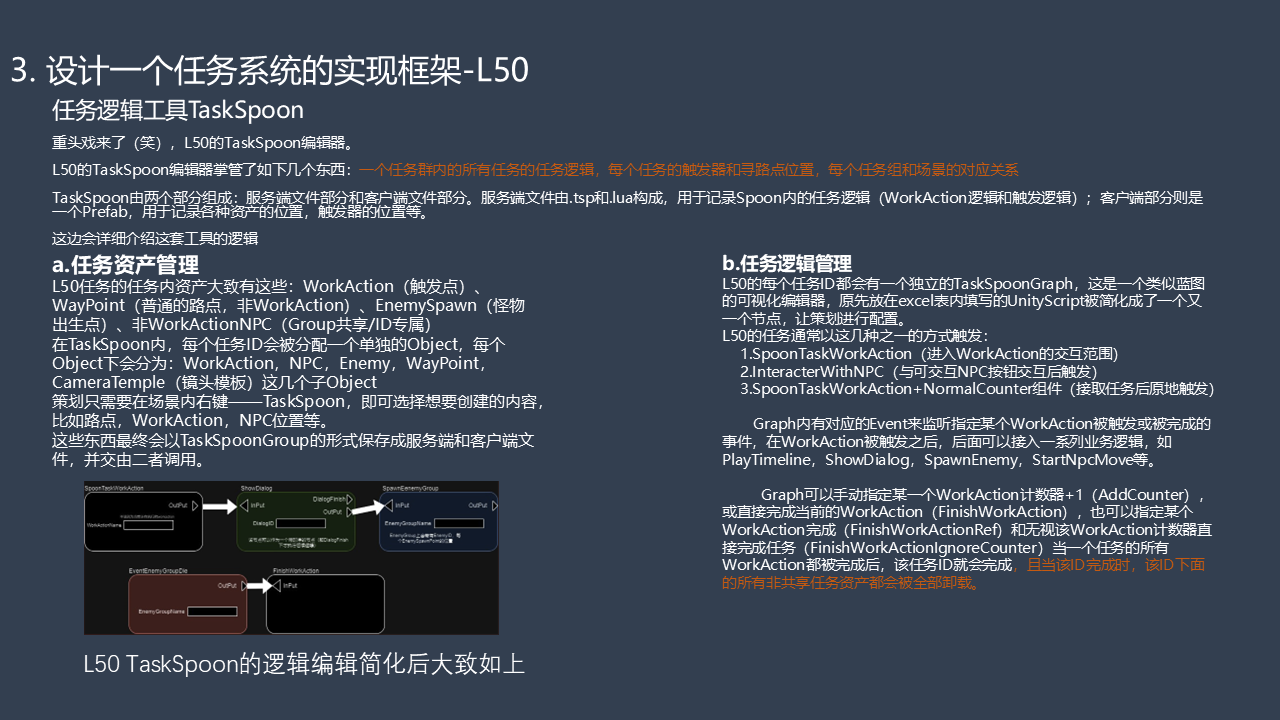
Here comes the main attraction. Laughs. L50’s TaskSpoon editor.
TaskSpoon manages the quest logic for every task in an Event, the positions of quest triggers and path points, and the relationships between task groups and scenes.
TaskSpoon has two parts: server files and client files. The server side consists of .tsp and Lua files, which record the quest logic within Spoon, including WorkAction logic and trigger logic. The client side is a Prefab recording asset positions, trigger positions, and related information.
Here’s how the tool works.
A. Quest asset management
L50’s quest assets broadly include:
WorkAction: trigger points.WayPoint: ordinary path points, separate from WorkAction.EnemySpawn: enemy spawn points.- Non-WorkAction NPCs, either shared across the group or exclusive to an individual ID.
Within TaskSpoon, each task ID gets a separate object. The objects under it are categorized as WorkAction, NPC, Enemy, WayPoint, and CameraTemple—the camera template category.
Designers right-click in the scene, choose TaskSpoon, and select the content they want to create: path points, WorkActions, NPC positions, and so on.
These are ultimately saved as a TaskSpoonGroup in the server and client files, which reference one another.
The example graph shows a WorkAction leading to ShowDialog and SpawnEnemyGroup, then an EventEnemyGroupDie event leading to FinishWorkAction.
B. Quest logic management
Every task group has an independent TaskSpoonGraph, a visual editor similar to Blueprints. The UnityScript previously entered in Excel is reduced to individual nodes for designers to configure.
L50’s quests generally begin through one of these triggers:
SpoonTaskWorkAction: entering a WorkAction’s interaction range.InteracterWithNPC: pressing the interaction button on an interactable NPC.SpoonTaskWorkActionwith aNormalCountercomponent: triggering immediately when the quest is accepted.
Events in the graph listen for a particular WorkAction being triggered or completed. Once a WorkAction triggers, a chain of logic can follow: PlayTimeline, ShowDialog, SpawnEnemy, StartNpcMove, and so on.
The graph can increment a specified WorkAction’s counter with AddCounter; finish the current WorkAction with FinishWorkAction; finish a specified WorkAction with FinishWorkActionRef; or complete a WorkAction regardless of its counter value with FinishWorkActionIgnoreCounter.
Once all WorkActions belonging to a task are complete, that TaskID is complete. At that point, all non-shared quest assets belonging to the ID are unloaded.
References and CurrentTask
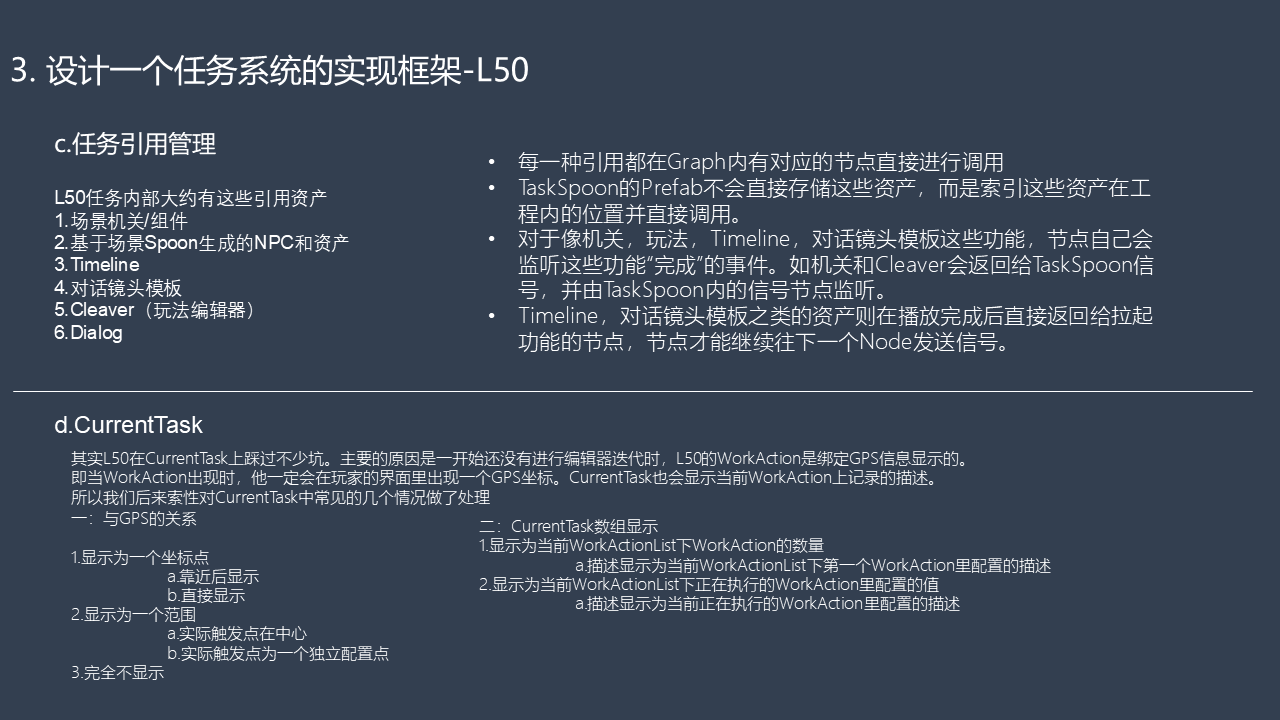
C. Quest reference management
L50’s quests reference the following kinds of assets:
- Scene mechanisms and components.
- NPCs and assets generated through the scene’s Spoon setup.
- Timeline.
- Dialogue camera templates.
- Cleaver, the gameplay editor.
- Dialog.
Each kind of reference has a corresponding graph node. TaskSpoon’s Prefab does not store the assets themselves; it records where they are in the project and references them directly.
For mechanisms, gameplay, Timeline, and dialogue camera templates, nodes listen for completion events. Mechanisms and Cleaver, for example, send signals back to TaskSpoon, where signal nodes listen for them.
Timeline and dialogue camera template assets return to the node that started them when playback finishes. That node can then send a signal to the next node.
D. CurrentTask
We ran into quite a few problems with CurrentTask in L50. Before we iterated on the editor, WorkAction was tied to the GPS display: whenever a WorkAction appeared, a GPS coordinate appeared in the player’s UI. CurrentTask could also display only the description stored on the current WorkAction.
We eventually addressed several common cases.
Relationship to GPS
- Display a coordinate marker: either show it only when the player approaches, or show it immediately.
- Display an area: either put the actual trigger at its center, or configure the trigger point separately.
- Display no marker at all.
CurrentTask counts
- Display the number of WorkActions in the current
WorkActionList. Use the description configured on the first WorkAction in that list. - Display the configured value of the WorkAction currently executing within the current
WorkActionList. Use that WorkAction’s description.
A complete execution flow
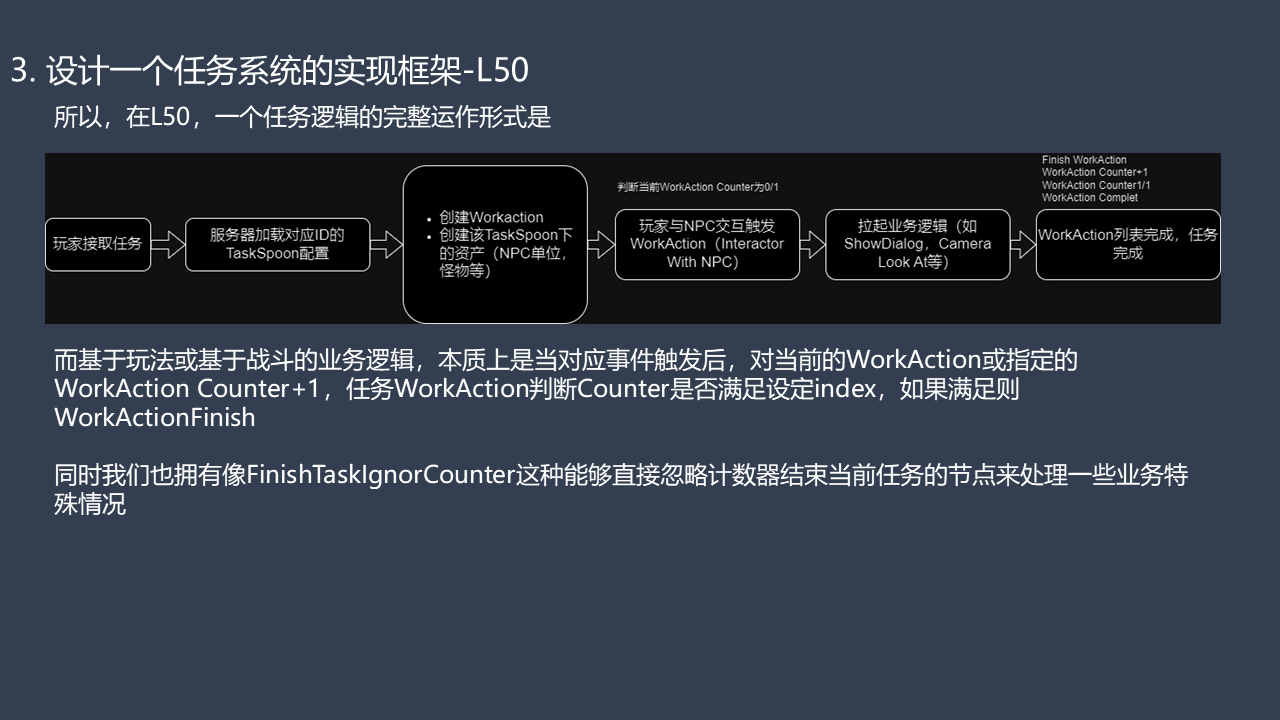
So, in L50, a complete quest logic flow looks like this:
- The player accepts the quest.
- The server loads the TaskSpoon configuration for the corresponding ID.
- The system creates WorkActions and the assets under that TaskSpoon, such as NPCs and enemies.
- With the current WorkAction counter at 0/1, the player interacts with an NPC, triggering
WorkAction (Interactor With NPC). - The associated logic runs—for example,
ShowDialogand a cameraLookAt. Finish WorkActionincrements the counter to 1/1 and completes that WorkAction. When the WorkAction list is complete, the task is complete.
Gameplay or combat logic works on the same principle: when the corresponding event occurs, it increments the current or specified WorkAction’s counter by one. The WorkAction checks whether the counter has reached its configured index; if so, it finishes.
We also have nodes such as FinishTaskIgnorCounter, which finish the current task without checking its counter, to handle special cases.